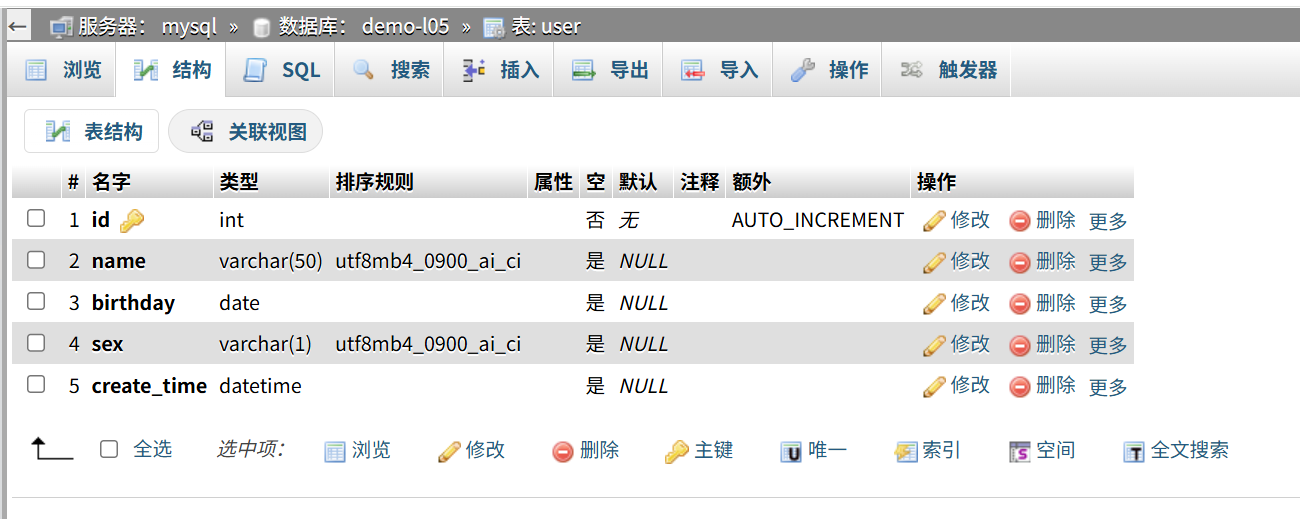
需求是用 SpringBoot + MyBatis-Plus 读 user 表返回给前端,四层结构,五个接口,另外两个自定义查询。
建表 1 2 3 4 5 6 7 8 CREATE TABLE `user ` ( `id` int NOT NULL AUTO_INCREMENT COMMENT '主键' , `name` varchar (50 ) NOT NULL COMMENT '姓名' , `birthday` date DEFAULT NULL COMMENT '生日' , `sex` varchar (2 ) DEFAULT NULL COMMENT '性别' , `create_time` datetime DEFAULT NULL COMMENT '创建时间' , PRIMARY KEY (`id`) ) ENGINE = InnoDB DEFAULT CHARSET = utf8mb4;
插两条测试数据:
1 2 3 INSERT INTO `user ` (`name`, `birthday`, `sex`, `create_time`) VALUES ('张三' , '2003-05-12' , '男' , '2026-10-20 10:20:00' ), ('李四' , '2004-11-03' , '女' , '2026-10-20 10:21:00' );
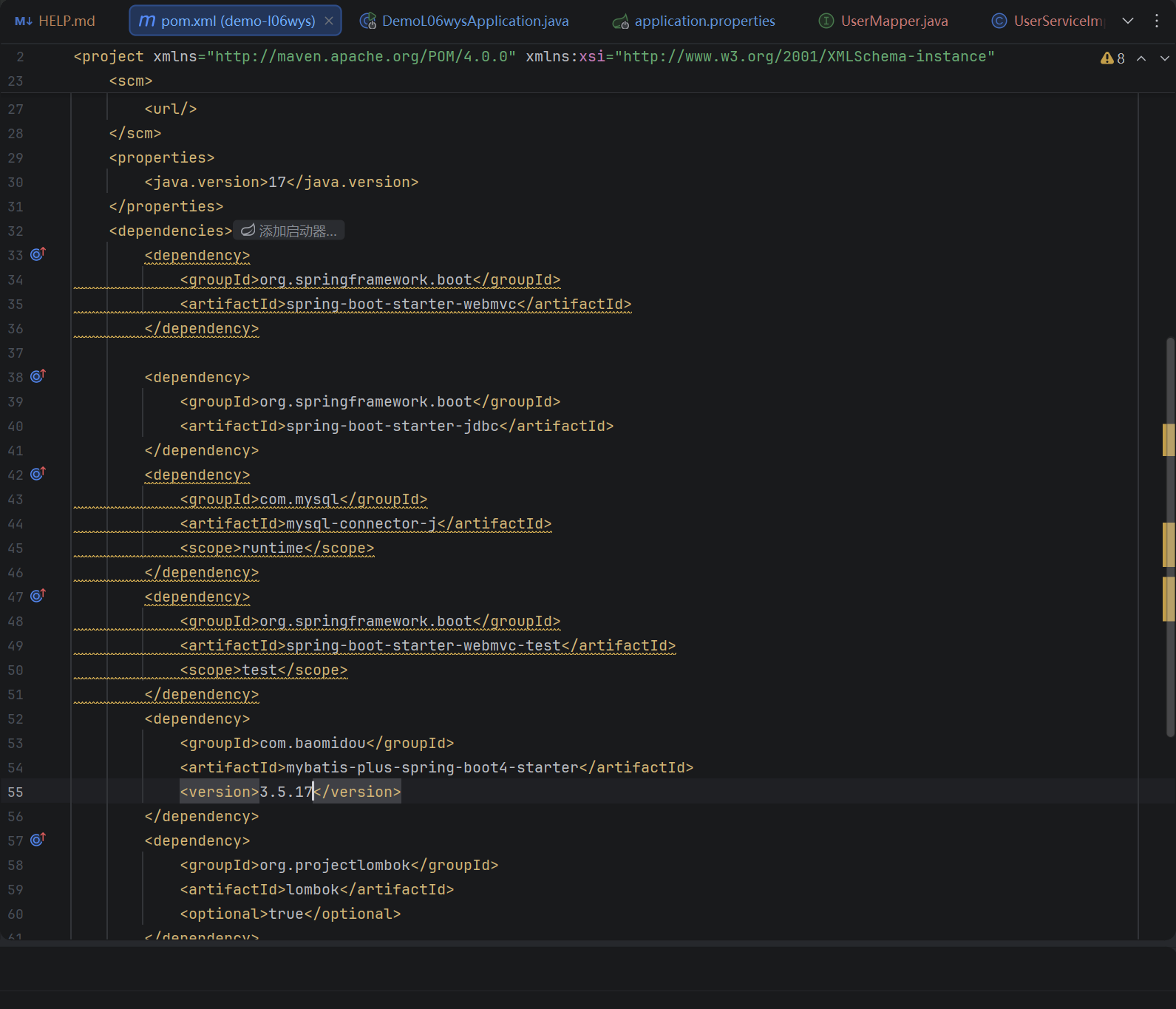
依赖 Spring Boot 4 要用 mybatis-plus-spring-boot4-starter,原来的 mybatis-plus-boot-starter 起不来,报自动配置的错。
1 2 3 4 5 6 7 8 9 10 11 12 13 14 15 16 <dependency > <groupId > org.springframework.boot</groupId > <artifactId > spring-boot-starter-webmvc</artifactId > </dependency > <dependency > <groupId > com.mysql</groupId > <artifactId > mysql-connector-j</artifactId > <scope > runtime</scope > </dependency > <dependency > <groupId > com.baomidou</groupId > <artifactId > mybatis-plus-spring-boot4-starter</artifactId > <version > 3.5.17</version > </dependency >
webmvc 是建项目自带的。jdbc 那个 MyBatis-Plus 自己会带,多一个不碍事。lombok 用来省 getter setter。
配置 1 2 3 4 5 6 7 8 9 10 11 12 spring.application.name=demo-l06wys server.port=8080 spring.datasource.driver-class-name=com.mysql.cj.jdbc.Driver spring.datasource.url=jdbc:mysql://你的地址:3306/你的库?useUnicode=true&characterEncoding=utf8&useSSL=false&serverTimezone=Asia/Shanghai&allowPublicKeyRetrieval=true spring.datasource.username=你的账号 spring.datasource.password=你的密码 mybatis-plus.mapper-locations=classpath:mapper/*.xml mybatis-plus.type-aliases-package=com.example.demol06wys.domain mybatis-plus.configuration.map-underscore-to-camel-case=true mybatis-plus.configuration.log-impl=org.apache.ibatis.logging.stdout.StdOutImpl
mapper-locations 不写的话 xml 加载不到,调 xml 里的方法报 Invalid bound statement。
最后一行打印 SQL,调试的时候能看到实际执行的语句和参数。
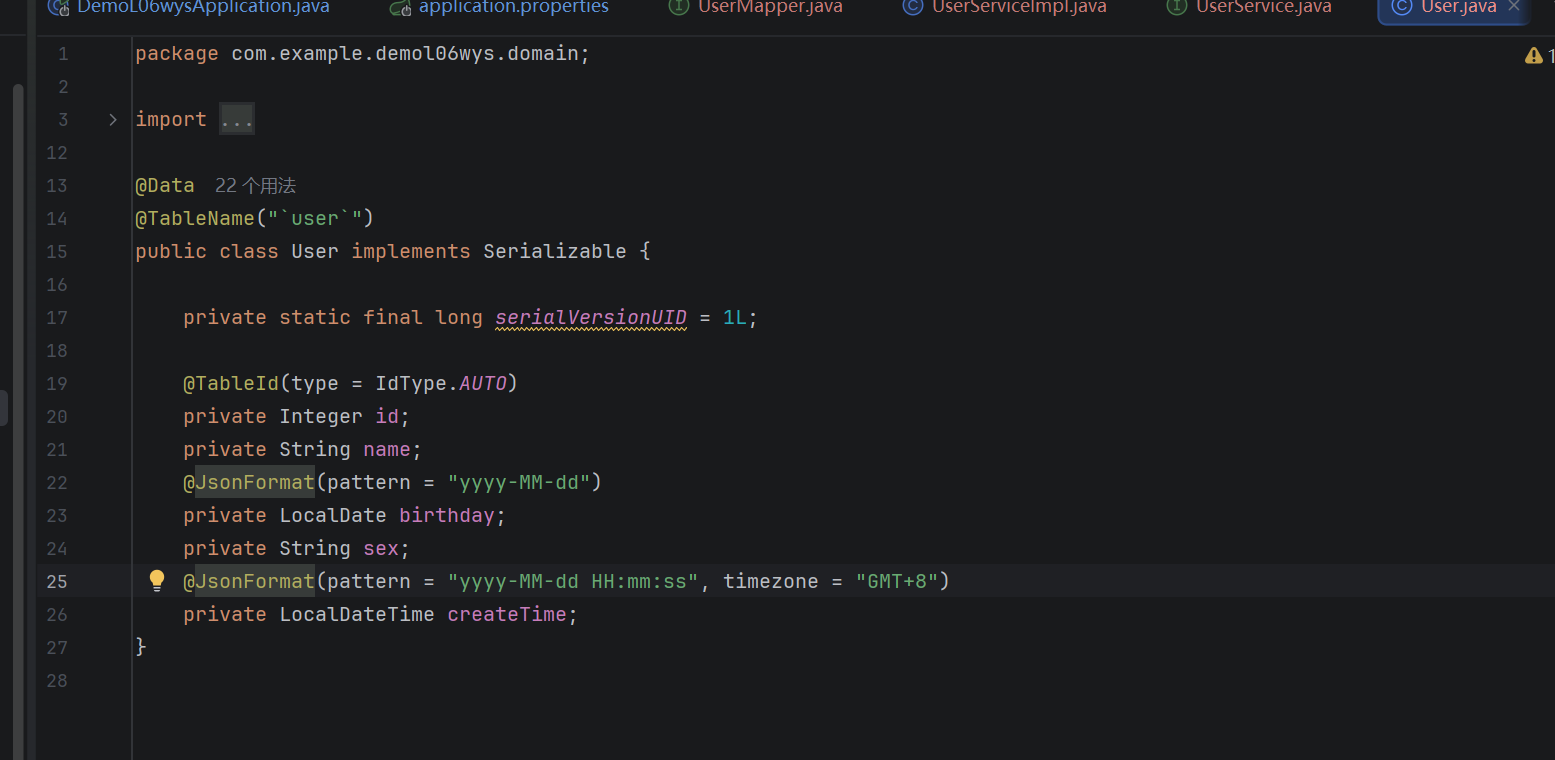
实体类 1 2 3 4 5 6 7 8 9 10 11 12 13 14 15 @Data @TableName("`user`") public class User implements Serializable { private static final long serialVersionUID = 1L ; @TableId(type = IdType.AUTO) private Integer id; private String name; @JsonFormat(pattern = "yyyy-MM-dd") private LocalDate birthday; private String sex; @JsonFormat(pattern = "yyyy-MM-dd HH:mm:ss", timezone = "GMT+8") private LocalDateTime createTime; }
表名加反引号,user 跟 SQL 关键字容易撞。
@TableId 的 type 写 AUTO。不写默认走雪花算法,主键变成十九位数字,跟表里的自增对不上。
时间字段加 @JsonFormat,不加返回的是 2026-10-20T10:20:00,带个 T。
Mapper 和 xml 接口:
1 2 3 4 5 6 7 8 @Mapper public interface UserMapper extends BaseMapper <User> { @Select("select id, name, birthday, sex, create_time from `user` order by name desc") List<User> getAllUserSortByNameDesc () ; List<User> selectUserList (@Param("name") String name) ; }
继承 BaseMapper,基础的增删改查不用自己写。
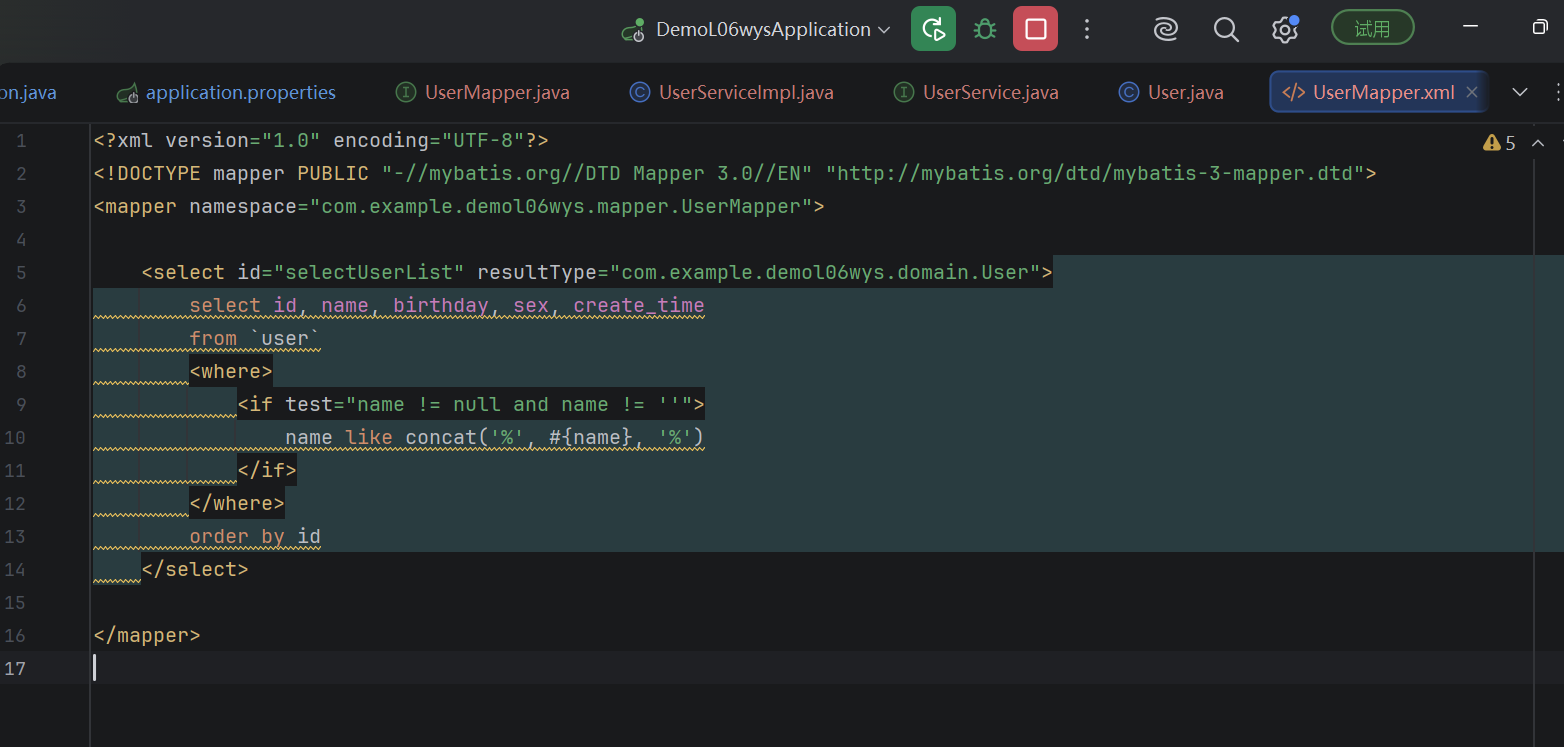
倒序那句只有一行 SQL,写在注解上。带条件的要拼 where,放 xml:
1 2 3 4 5 6 7 8 9 10 11 12 13 14 <mapper namespace ="com.example.demol06wys.mapper.UserMapper" > <select id ="selectUserList" resultType ="com.example.demol06wys.domain.User" > select id, name, birthday, sex, create_time from `user` <where > <if test ="name != null and name != ''" > name like concat('%', #{name}, '%') </if > </where > order by id </select > </mapper >
where 会自动去掉多余的 and,if 不成立整段不拼,name 不传就是查全部。
namespace 写全限定类名,id 跟方法名一样,这两处错了都是 Invalid bound statement。
Service 1 2 3 4 5 6 public interface UserService extends IService <User> { List<User> getAllUserSortByNameDesc () ; List<User> selectUserList (String name) ; }
1 2 3 4 5 6 7 8 9 10 11 12 13 @Service public class UserServiceImpl extends ServiceImpl <UserMapper, User> implements UserService { @Override public List<User> getAllUserSortByNameDesc () { return baseMapper.getAllUserSortByNameDesc(); } @Override public List<User> selectUserList (String name) { return baseMapper.selectUserList(name); } }
包名是 com.baomidou.mybatisplus.spring.service.IService,3.5.17 从 extension 拆出来了,照网上教程 import 会编译不过。实现类在同级 impl 下。
泛型先 Mapper 后实体,写反启动报错。
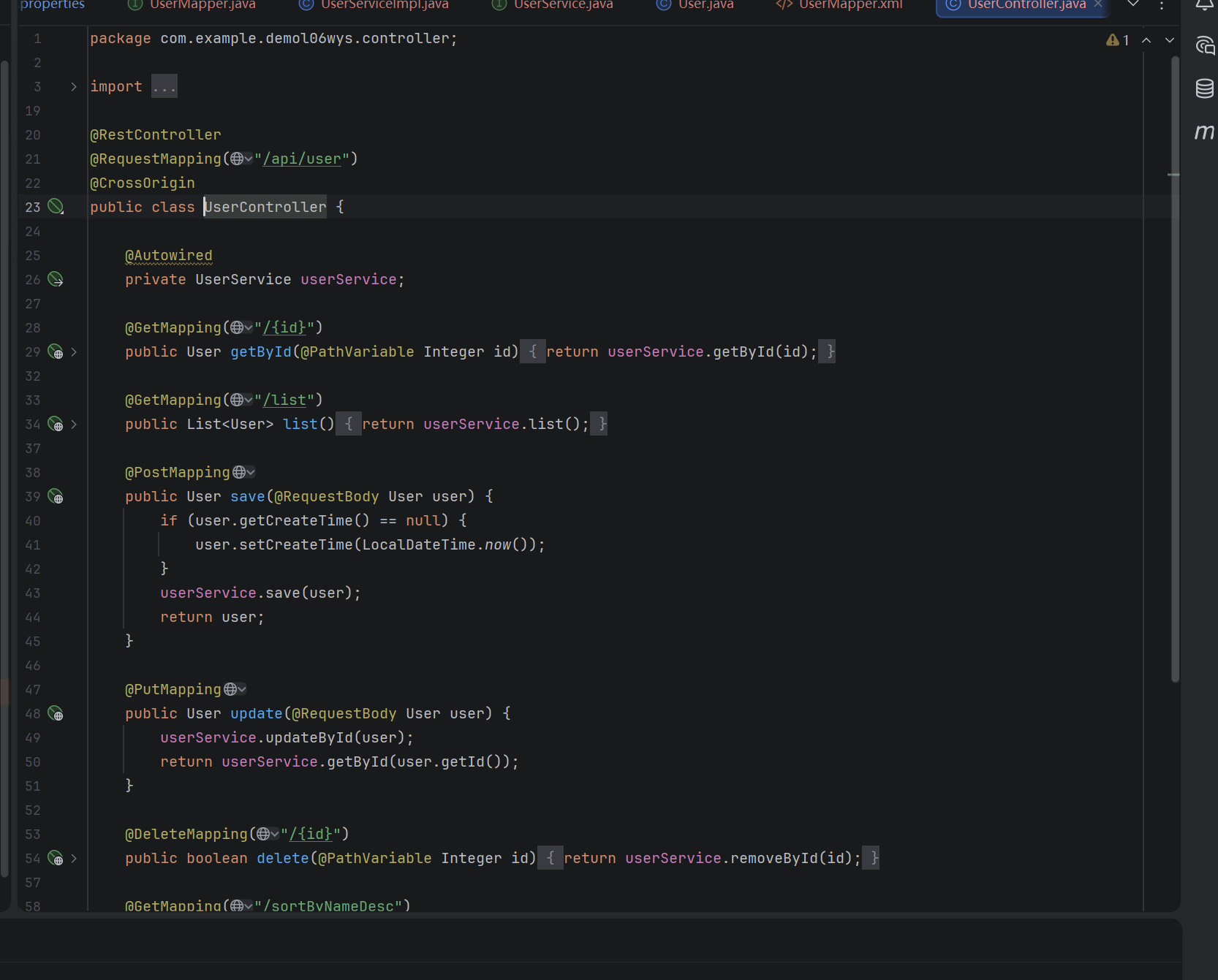
Controller 1 2 3 4 5 6 7 8 9 10 11 12 13 14 15 16 17 18 19 20 21 22 23 24 25 26 27 28 29 30 31 32 33 34 35 36 37 38 39 40 41 42 43 44 45 46 47 48 @RestController @RequestMapping("/api/user") @CrossOrigin public class UserController { @Autowired private UserService userService; @GetMapping("/{id}") public User getById (@PathVariable Integer id) { return userService.getById(id); } @GetMapping("/list") public List<User> list () { return userService.list(); } @PostMapping public User save (@RequestBody User user) { if (user.getCreateTime() == null ) { user.setCreateTime(LocalDateTime.now()); } userService.save(user); return user; } @PutMapping public User update (@RequestBody User user) { userService.updateById(user); return userService.getById(user.getId()); } @DeleteMapping("/{id}") public boolean delete (@PathVariable Integer id) { return userService.removeById(id); } @GetMapping("/sortByNameDesc") public List<User> sortByNameDesc () { return userService.getAllUserSortByNameDesc(); } @GetMapping("/selectUserList") public List<User> selectUserList (@RequestParam(required = false) String name) { return userService.selectUserList(name); } }
新增前端不传创建时间,判空补一个当前时间。
updateById 只改传了值的字段,null 跳过,所以改一个字段不用先查整条。
@RequestParam(required = false) 让 name 可以不传。
@CrossOrigin 给前端调试用,不加会报跨域。
启动 1 2 3 4 5 6 7 8 @SpringBootApplication @MapperScan("com.example.demol06wys.mapper") public class DemoL06wysApplication { public static void main (String[] args) { SpringApplication.run(DemoL06wysApplication.class, args); } }
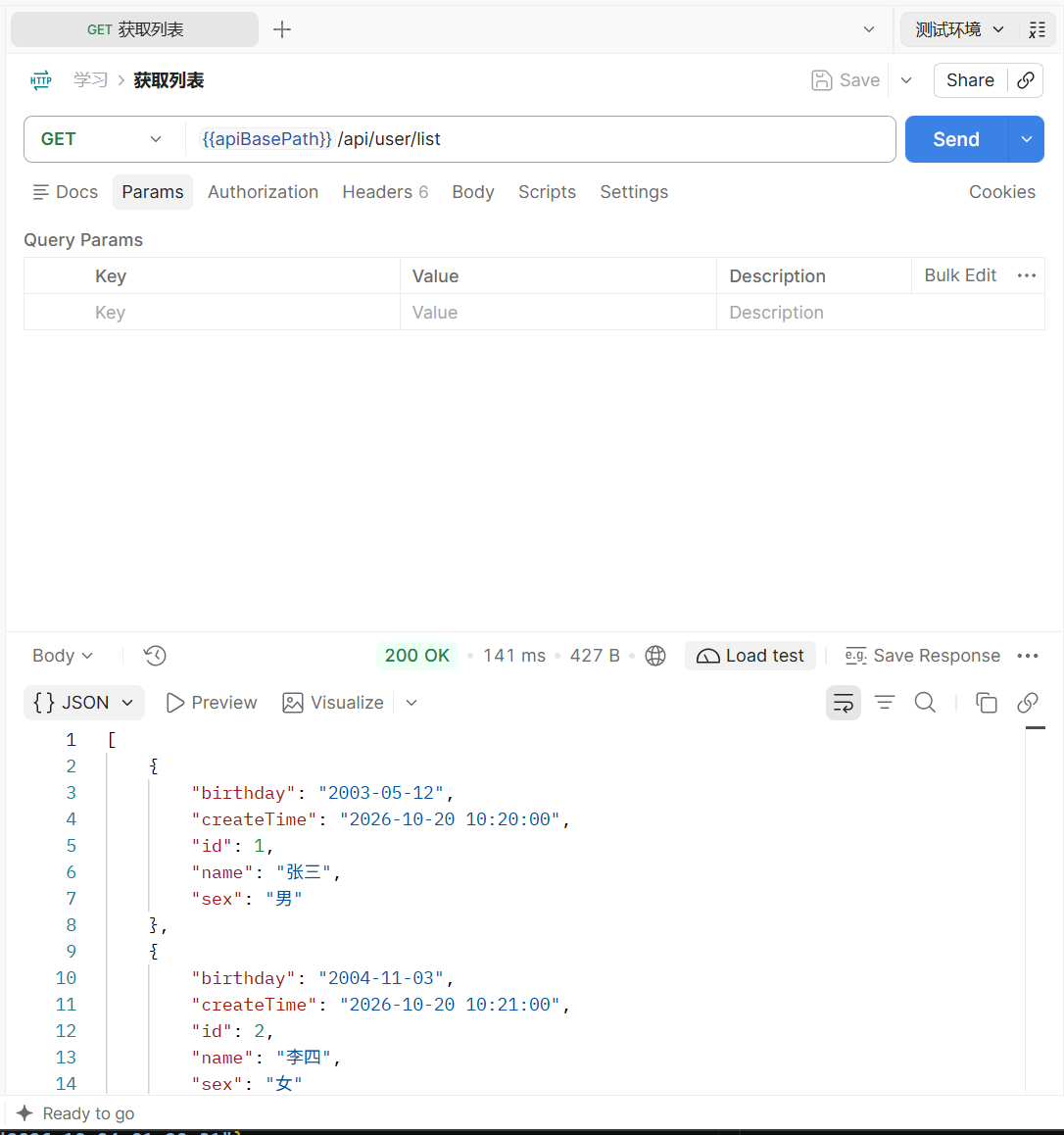
浏览器访问 http://localhost:8080/api/user/list,能出 JSON 就说明库连上了:
1 2 3 4 [ { "id" : 1 , "name" : "张三" , "birthday" : "2003-05-12" , "sex" : "男" , "createTime" : "2026-10-20 10:20:00" } , { "id" : 2 , "name" : "李四" , "birthday" : "2004-11-03" , "sex" : "女" , "createTime" : "2026-10-20 10:21:00" } ]
mvnw 启动报端口占用的话,换 IDEA 里的启动按钮就行。
测接口 ApiFox 建个项目,七个请求都测了。地址都是 http://localhost:8080/api/user。
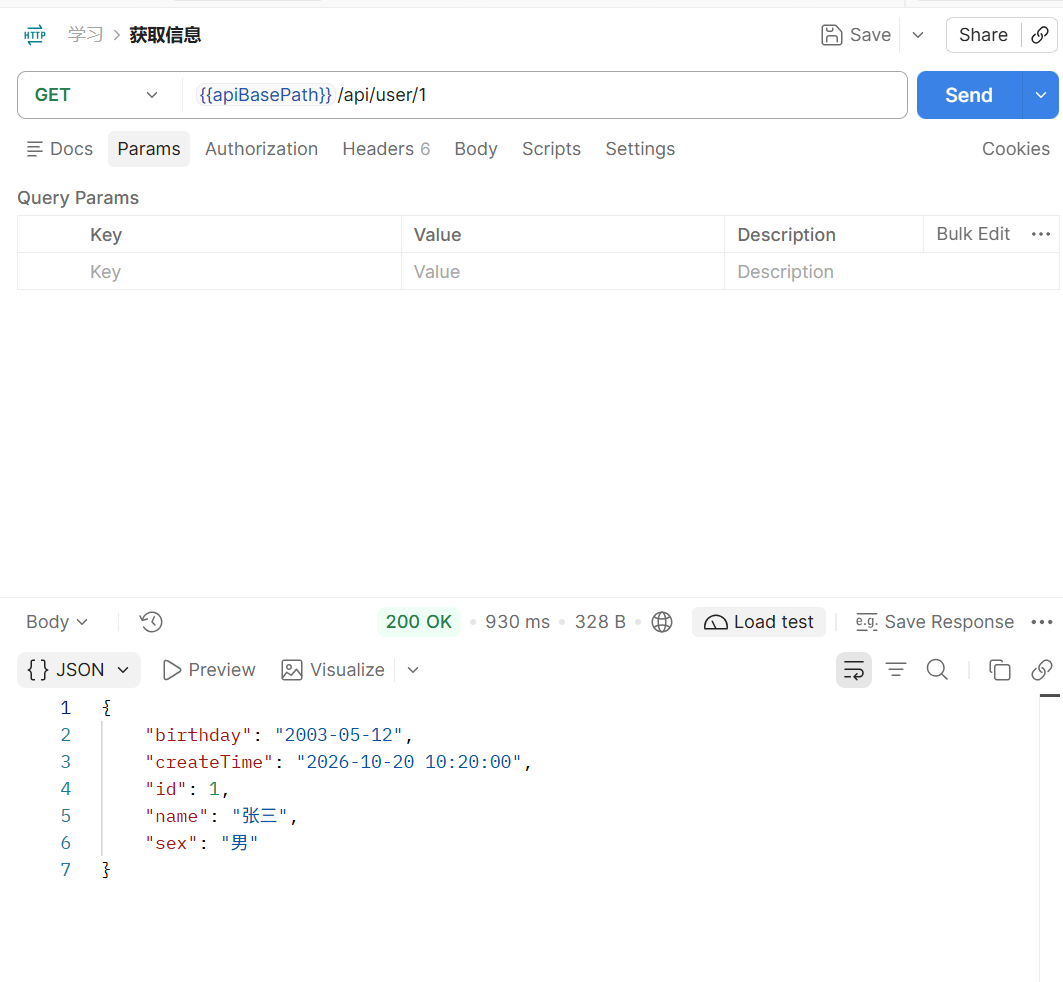
查单个 ,GET /api/user/1:
1 { "id" : 1 , "name" : "张三" , "birthday" : "2003-05-12" , "sex" : "男" , "createTime" : "2026-10-20 10:20:00" }
查全部 ,GET /api/user/list:
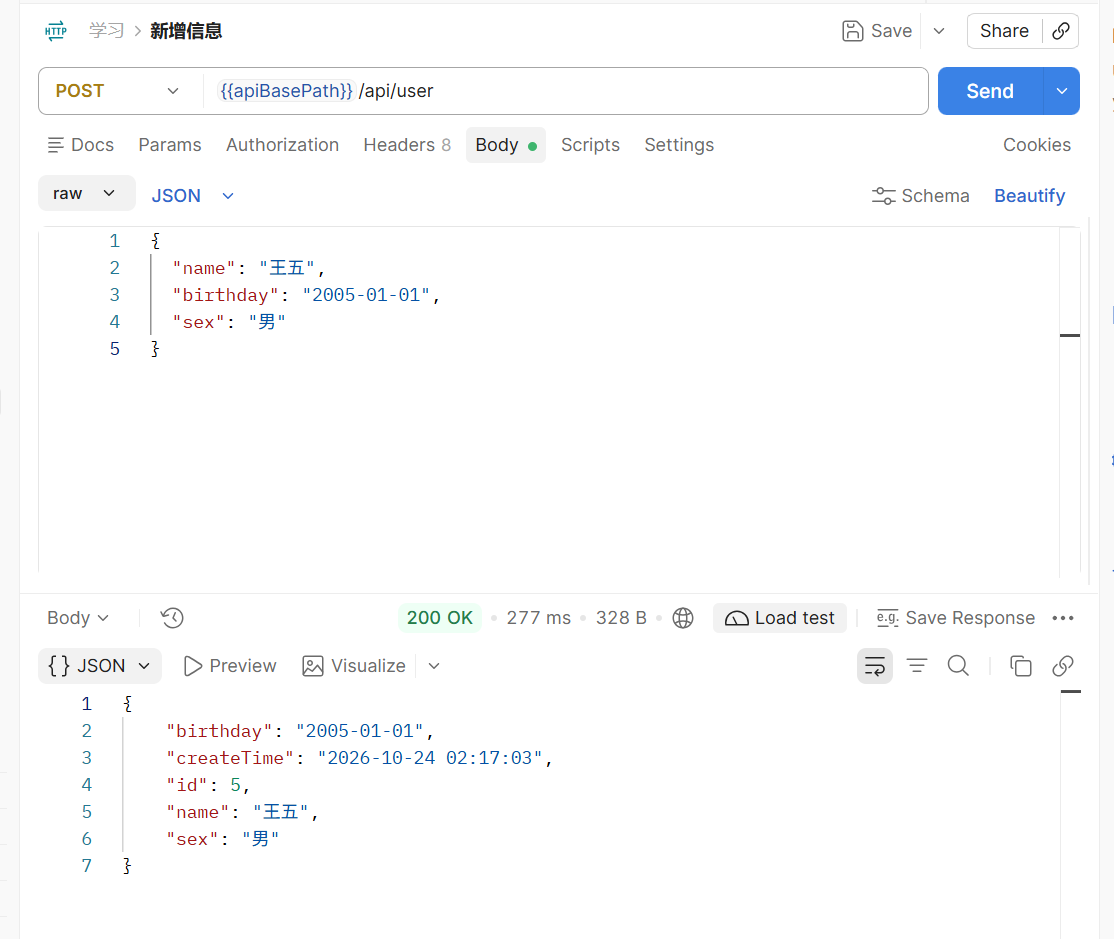
新增 ,POST /api/user,body 不传 id:
1 2 3 4 5 { "name" : "王五" , "birthday" : "2005-01-01" , "sex" : "男" }
返回:
1 { "id" : 5 , "name" : "王五" , "birthday" : "2005-01-01" , "sex" : "男" , "createTime" : "2026-10-24 01:20:31" }
id 和时间都自动补上了。返回的 id 要是长数字,检查 @TableId。
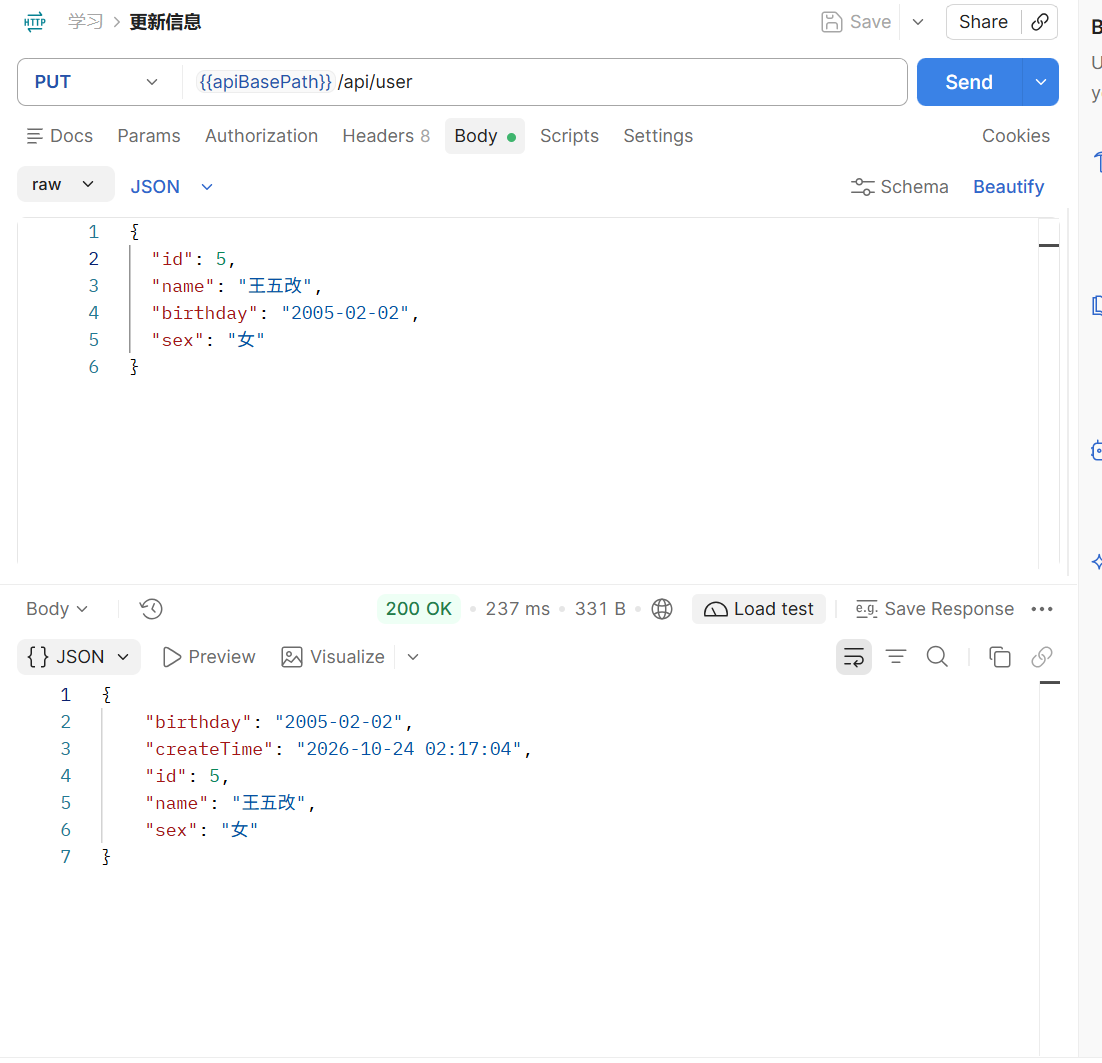
更新 ,PUT /api/user,body 带 id:
1 2 3 4 5 6 { "id" : 5 , "name" : "王五改" , "birthday" : "2005-02-02" , "sex" : "女" }
返回:
1 { "id" : 5 , "name" : "王五改" , "birthday" : "2005-02-02" , "sex" : "女" , "createTime" : "2026-10-24 01:20:31" }
createTime 没变,因为这次没传,updateById 跳过 null。
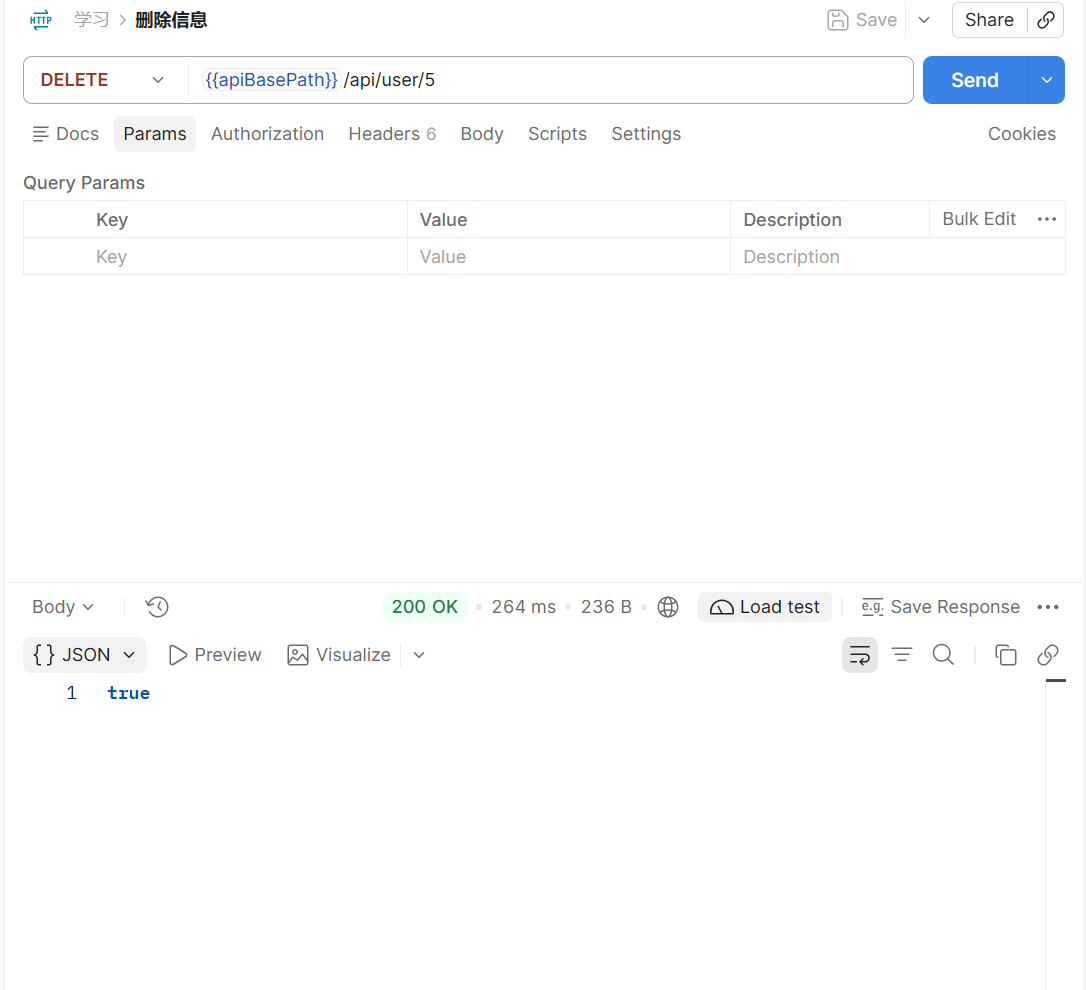
删除 ,DELETE /api/user/5,返回 true,删完再查一次列表确认。
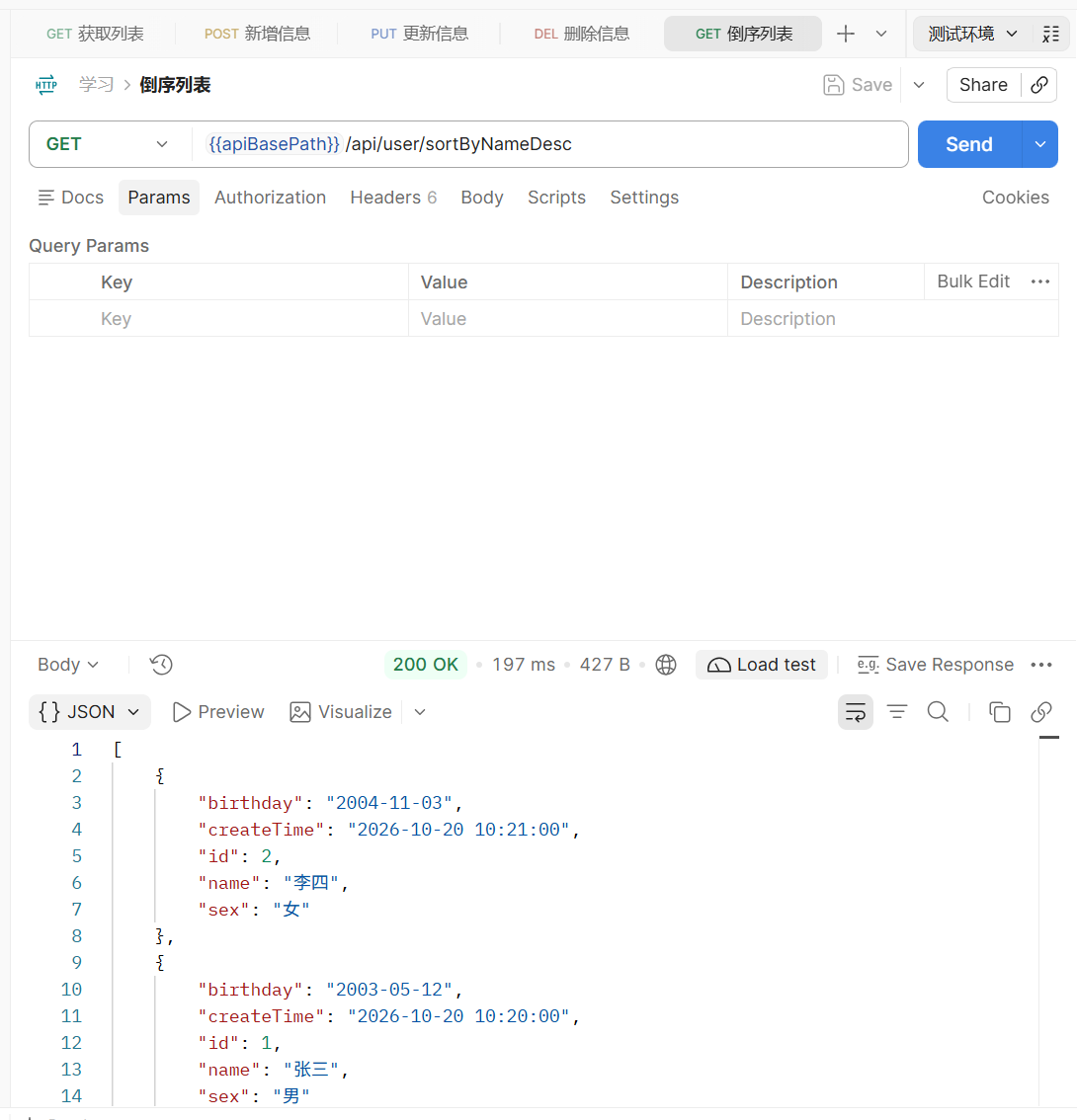
按姓名倒序 ,GET /api/user/sortByNameDesc:
1
2
3
4
[ { "id" : 2 , "name" : "李四" , "birthday" : "2004-11-03" , "sex" : "女" , "createTime" : "2026-10-20 10:21:00" } , { "id" : 1 , "name" : "张三" , "birthday" : "2003-05-12" , "sex" : "男" , "createTime" : "2026-10-20 10:20:00" } ]
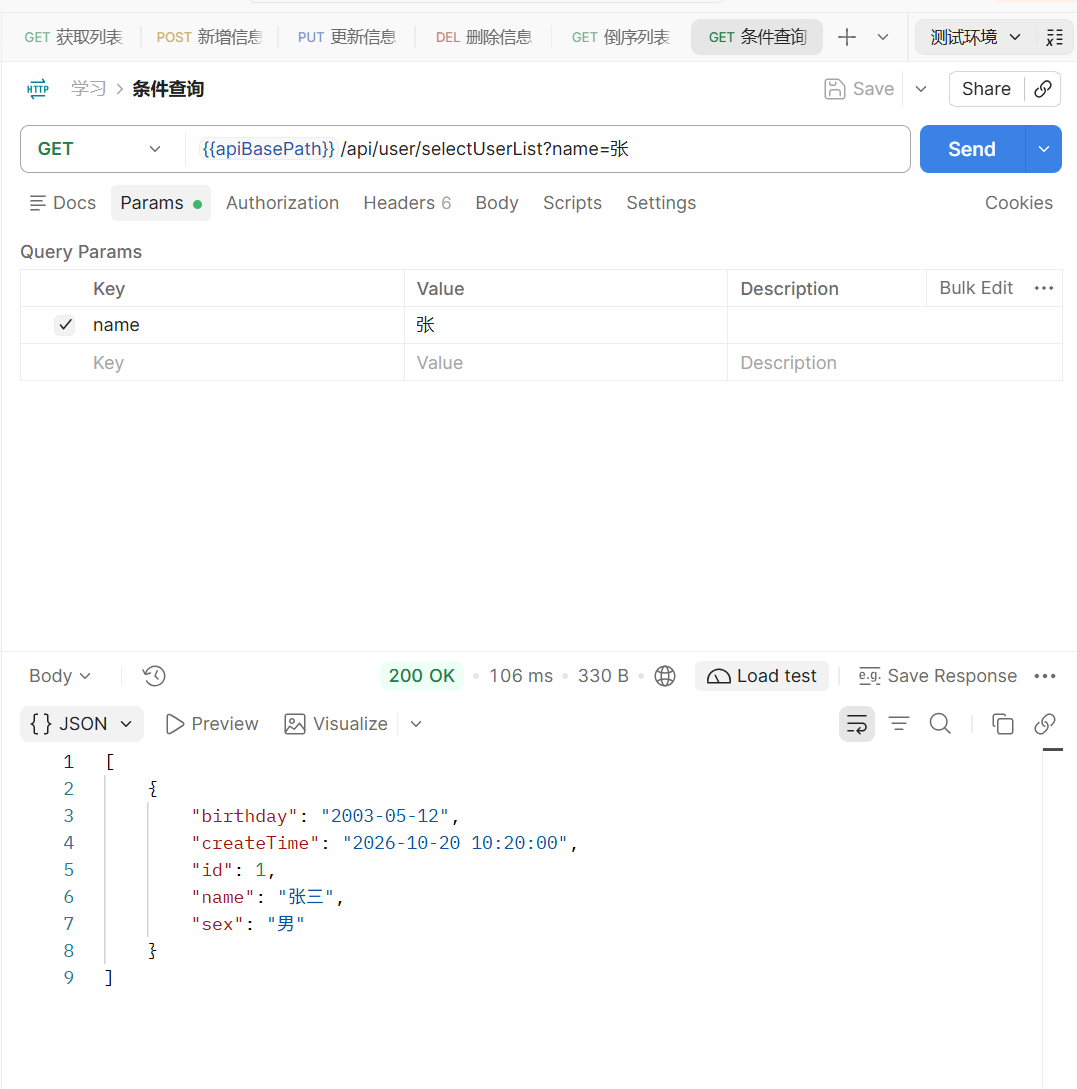
条件查询 ,GET /api/user/selectUserList?name=张:
1 [ { "id" : 1 , "name" : "张三" , "birthday" : "2003-05-12" , "sex" : "男" , "createTime" : "2026-10-20 10:20:00" } ]
name 留空再请求一次,返回全部,说明 if 生效了。
记一下坑
user 加反引号,@TableName 和 SQL 里都要
@TableId 不写 type = AUTO,主键变成雪花 ID
Invalid bound statement,先看 mapper-locations,再看 namespace 和 id
Spring Boot 4 用 boot4 的 starter,IService 包名在 spring 下面
时间字段不加 @JsonFormat 会带个 T
端口被占,换 IDEA 启动
All Tags